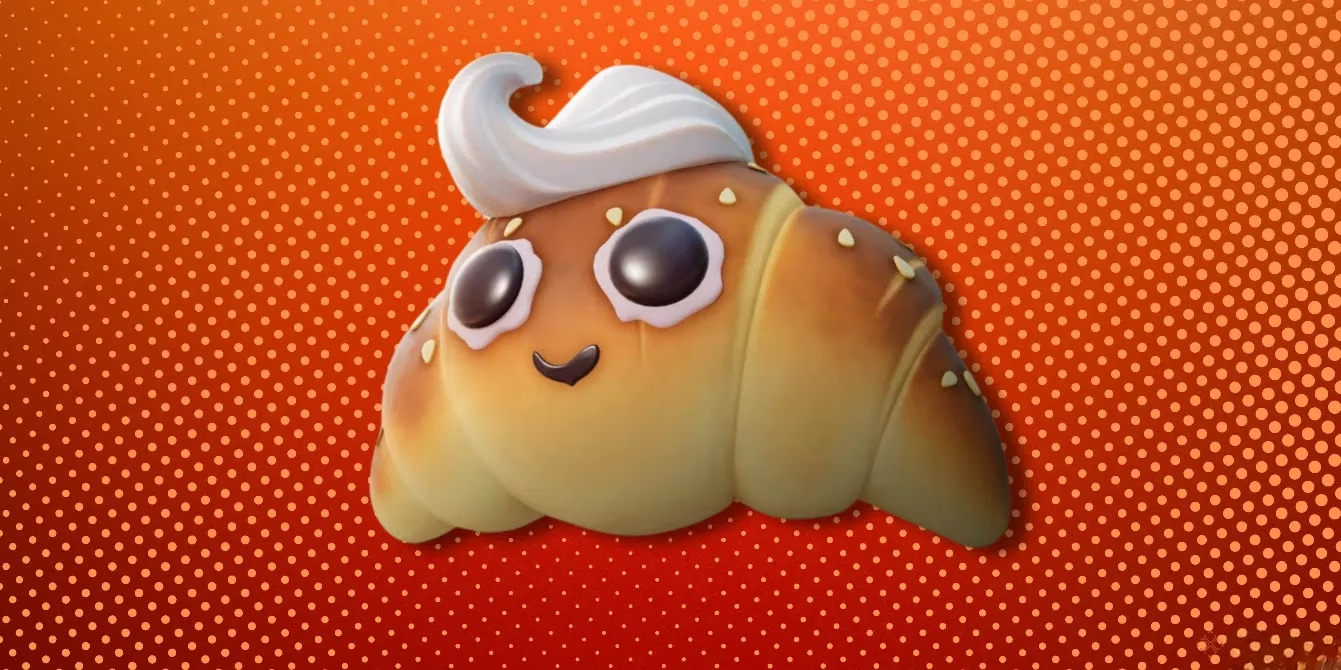
Alright, let’s talk about one of the low-key best freebies in Fortnite right now: the Sir Beurre Back Bling. I know there are about a million cosmetics in the game, but this one caught my eye because it’s totally free, totally easy to unlock, and you don’t need to grind through a Battle Pass or drop V-Bucks. As of my 2026 check, the unlock method is still tied to your Epic Games account settings, specifically the email survey option. Here’s exactly how I got it, step by step.
What Is the Sir Beurre Back Bling?
If you haven’t seen it yet, Sir Beurre is exactly what it sounds like — a buttery, charming back accessory that gives your character a little extra personality. The best part? It’s a cosmetic that doesn’t ask you to open your wallet. Instead of V-Bucks, Epic Games just asks you to let them send you surveys and promotional emails.
I’ll be honest, I usually ignore promo emails, but this one is worth it. You can always adjust your preferences later if you change your mind.
The Short Answer
To unlock the Sir Beurre Back Bling for free, you need to opt into Epic Games’ email surveys. Once you do that, the back bling is granted to your account within 24 hours. That’s it.
-
💰 Cost: 0 V-Bucks
-
⏰ Delivery time: Usually within 24 hours
-
🎮 Works on: Fortnite accounts linked to Epic Games
-
📧 Requirement: Email survey opt-in
Step-by-Step: How To Get It
This process took me about five minutes, and most of that was just clicking through menus.
1. Log In or Create an Epic Games Account
First, head to the Epic Games website and log in to your account. Make sure you use the same Epic account that you use for Fortnite. If you’ve played Fortnite, Fall Guys, or Rocket League on a console but never made a full Epic account, don’t worry. You can sign up and upgrade your console account to a full Epic Games account.
This is the most important step, because if you opt in on the wrong account, the back bling won’t show up in your locker.
2. Open Your Account Settings
After you log in, look at the upper right corner of the screen. You should see your user icon. Click that icon, then choose Account from the drop-down menu. From there, go to the left column and select Account Settings.
It’s easy to miss, but the account settings page is where the magic happens.
3. Find Email Preferences
Inside Account Settings, navigate to Email Preferences. On the right side of the screen, you’ll see your current communication options. You need to opt into receiving email surveys by checking the appropriate boxes for surveys and promotional emails.
Here’s a quick breakdown of what to look for:
| Option | What To Do |
|---|---|
| Email surveys | Check the box to opt in |
| Promotional emails | Check this too, if available |
| News and updates | Optional, but can help |
After you check those boxes, save your changes if prompted.
What Happens Next?
Once you’ve opted in, Sir Beurre should arrive in your Fortnite locker within 24 hours. In my case, I saw it the next time I logged in later that day. You don’t need to redeem a code or buy anything.
If 24 hours pass and it’s still not there, try these quick fixes:
-
Double-check that you’re on the right Epic Games account.
-
Make sure your Fortnite game is updated to the latest version.
-
Confirm your email preferences actually saved.
-
Check your locker under Back Blings.
-
Restart Fortnite completely.
Why Is Sir Beurre Free?
Epic Games occasionally rewards players for keeping communication options enabled. It’s a pretty smart trade: you agree to receive some messages, and Epic sends you a cosmetic as a thank-you. For most players, that’s a solid deal.
I like this kind of reward because it doesn’t require you to be a competitive player or spend real money. It’s just a few account tweaks.
Final Thoughts
If you want a fresh, free back bling, Sir Beurre is one of the easiest unlocks in Fortnite in 2026. Log in, check a couple of email preference boxes, and wait for it to show up. No V-Bucks, no hassle.
Have you unlocked it yet? Jump into your account settings and grab the Sir Beurre Back Bling before you forget.