I still remember the first time I strapped a Thruster to a wooden platform in LEGO Fortnite Odyssey. The thing flipped, caught fire, and sent me sailing into a lake. 😅 But that chaos taught me one truth: if you want to explore the world at speed, you need a Driver's Seat. In 2026, with more players than ever building cars, boats, and flying contraptions, the Driver's Seat remains the beating heart of every vehicle. It is not just a chair. It is the control hub that turns a pile of toys into something you can actually drive.
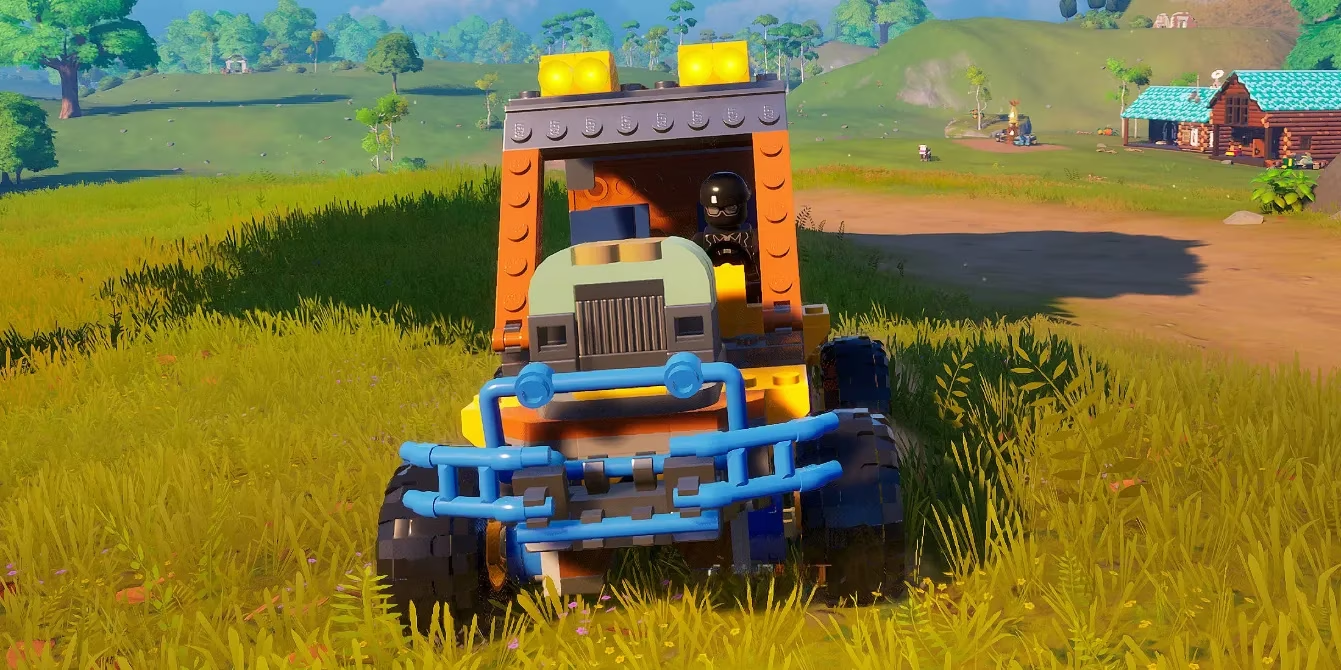
What the Driver's Seat Actually Does
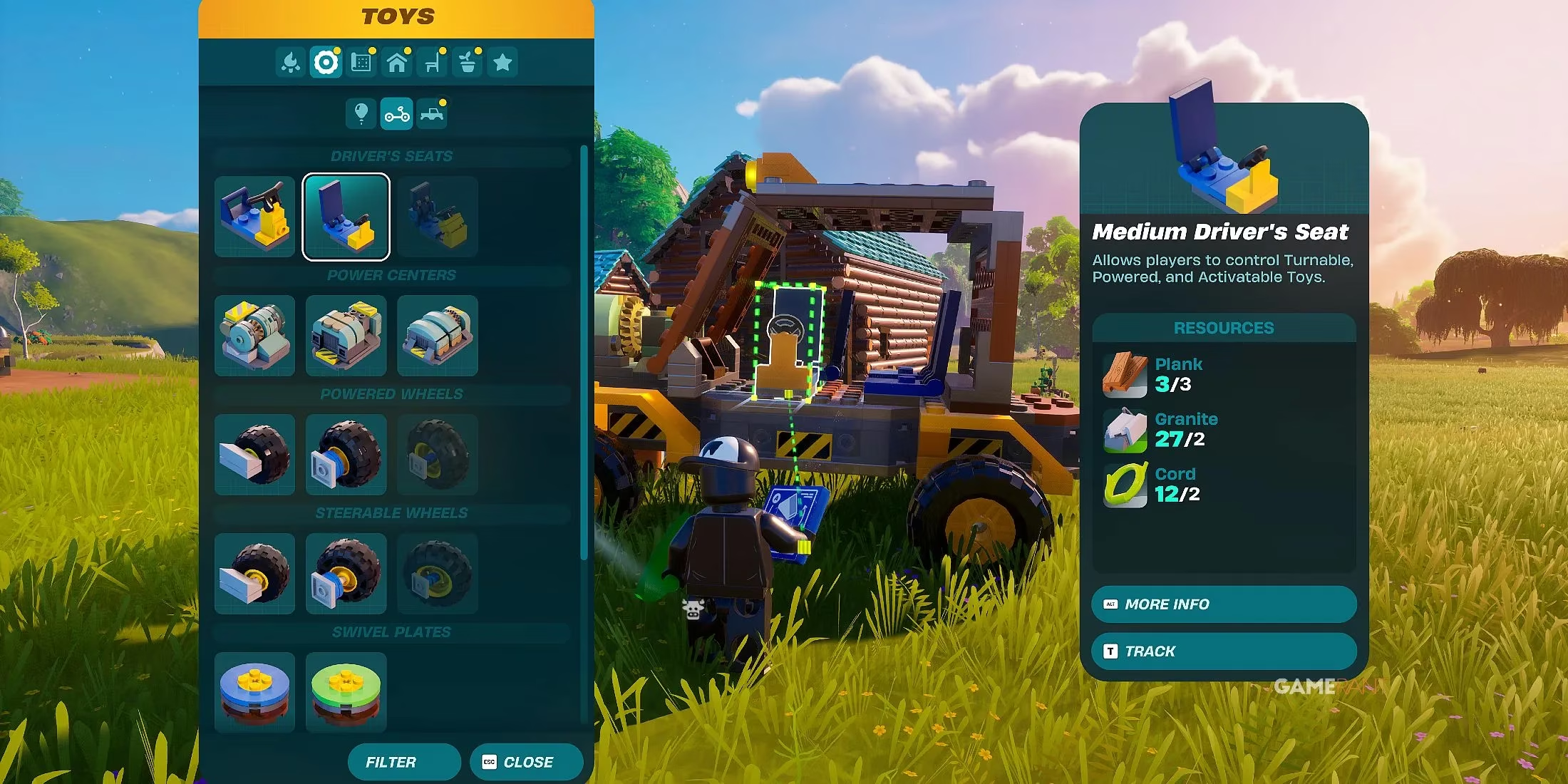
The Driver's Seat is a unique toy in LEGO Fortnite Odyssey. You will find it under the Controls section of the Build Menu, inside the Toys category. Once you place it on a suitable build, you can sit in it and take control of several types of connected toys.
When I sit down, I get access to channels. These appear at the bottom right of my screen. Using a Wrench, I can assign powered toys to those channels. That includes Activated Balloons, Thrusters, and other activated gadgets. From the seat, I can trigger them directly without jumping out or fiddling with separate switches.
The Driver's Seat also controls turnable and powered toys. That means Powered Wheels and Steerable Wheels become usable. I can build a car, a boat, or even a weird flying machine. But there is a catch: builds using Powered and Steerable Wheels need a Power Center with a Power Cell installed. Without that, the wheels will not function properly. I learned that the hard way after building a beautiful buggy that refused to move. 🛞
Three Sizes, One Core Recipe
There are three different Driver's Seats I can build in LEGO Fortnite Odyssey. They all use the same basic ingredients. The only differences are size and the amount of materials each one needs. I think of them as Small, Medium, and Large, even if the game labels them by build size.
Here is how I decide which one to craft:
| Seat Size | Material Demand | Best For | My Notes |
|---|---|---|---|
| Small | Lowest | Tiny carts, compact gliders, quick experiments | Great when I am low on resources |
| Medium | Moderate | Standard cars, boats, and everyday vehicles | My personal favorite all-rounder |
| Large | Highest | Big builds, multi-channel contraptions, heavy transports | A resource sink, but worth it for massive projects |
To craft one, I open the Build Menu, go to Controls, then Toys, and select the Driver's Seat. I place it on a suitable build, such as a vehicle chassis or platform. If I am using an existing vehicle preset blueprint, the Driver's Seat is often included as part of the build. In that case, I just follow the blueprint steps and the seat comes with it. That is a great way for new players to learn the system.
Materials I Gather Before Crafting
Because all three seats share the same basic ingredients, I do not need a bizarre shopping list. I just stock up on common resources from my village and nearby biomes. I always keep wood, granite, and other basic crafting materials on hand. The Build Menu preview shows the exact cost for the size I want, so I check that before I commit.
My routine is simple:
-
Gather a healthy stack of basic materials. 🌳
-
Visit my village or a safe base.
-
Open the Build Menu and preview the Driver's Seat recipe.
-
Craft the size that matches my current project.
-
Place it on a flat, stable build.
If I am building a fast car, I choose Medium. If I am making a tiny drone-like platform, Small saves resources. If I am building a mobile fortress with balloons and thrusters, Large gives me the space and control I need.
How I Use Channels and Power
Once I am seated, the real fun begins. I use the Wrench to assign powered toys to channels. For example, I might put left and right Thrusters on separate channels for steering, or put Activated Balloons on a channel for lift. Then I press the channel buttons while seated. This lets me activate them on the fly.
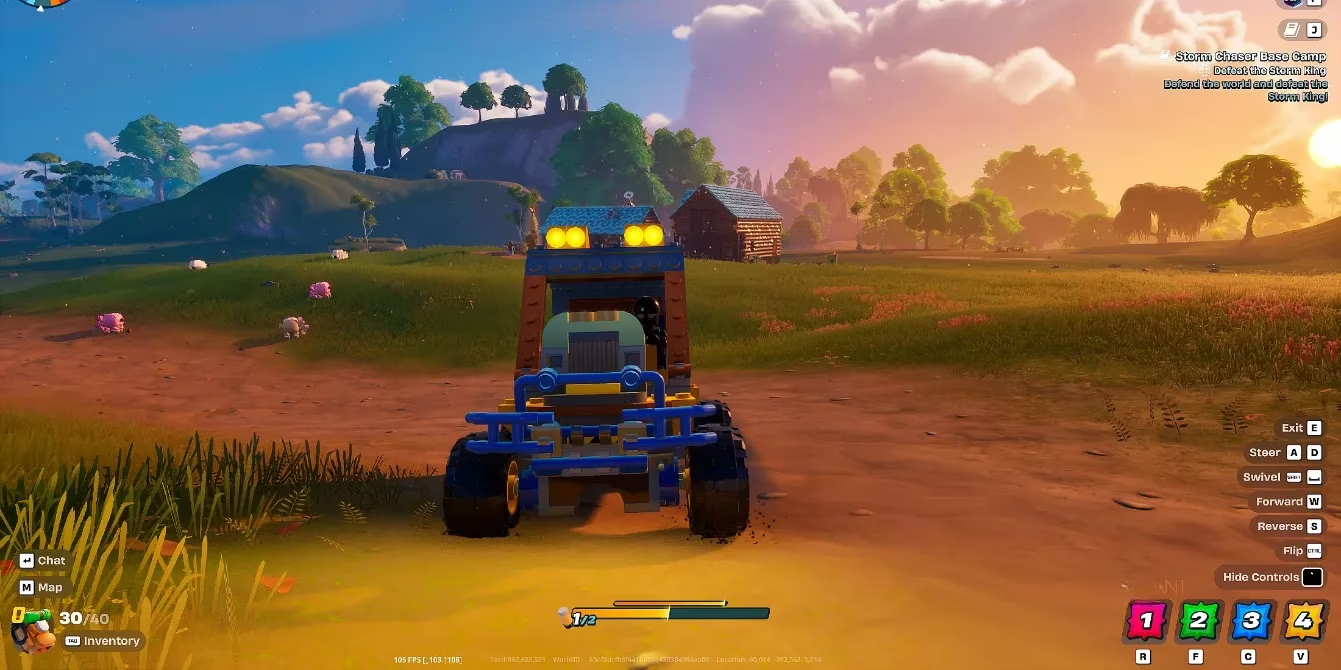
For ground vehicles, I connect Powered Wheels or Steerable Wheels. I also place a Power Center and install a Power Cell. Without power, the wheels are dead weight. I always test my vehicle in an open field before I take it into dangerous territory. There is nothing worse than losing a build to a cliff because a wheel did not turn. 😂
Here is a quick control cheat sheet I use:
| Action | How I Do It |
|---|---|
| Assign toys to channels | Use the Wrench while seated |
| Activate balloons or thrusters | Press the matching channel button |
| Steer a wheeled vehicle | Use movement controls while seated |
| Power the wheels | Place a Power Center and install a Power Cell |
| Exit the seat | Use the exit control and step out |
My Practical Tips for 2026
After many builds, I have a few habits that save me time and materials.
-
Start with a Medium Driver's Seat. It is the best balance for most vehicles.
-
Build on flat ground. Slopes make placement and testing frustrating.
-
Use preset vehicle blueprints first. They teach you how channels and wheels connect.
-
Keep a spare Power Cell. If your build uses Powered Wheels, you do not want to be stranded.
-
Label your channels mentally. Left thruster, right thruster, lift balloon, and so on.
-
Test without passengers. A friend jumping on a half-built car can send it into the ocean.
-
Do not overbuild. A small, reliable cart beats a giant, broken fortress.
The Driver's Seat is more than a crafting recipe. It is the moment LEGO Fortnite Odyssey changes from a survival game into a sandbox of crazy machines. Whether I am racing across the grasslands or floating over a mountain with balloons, the seat is where I feel in control. In 2026, it is still one of the first toys I chase after in every new world. If you have not built one yet, gather your materials, open the Build Menu, and take a seat. Just be ready for the first test drive to go hilariously wrong. 🚗💨
The following breakdown is based on Gamasutra (Game Developer), a long-standing source for developer-focused reporting and design analysis. In the context of LEGO Fortnite Odyssey vehicle building, that perspective helps explain why the Driver's Seat feels so central: it is the interface layer that turns separate systems like power, steering, and activated channels into one readable control scheme, making player-made cars, boats, and flying rigs easier to understand, test, and refine.