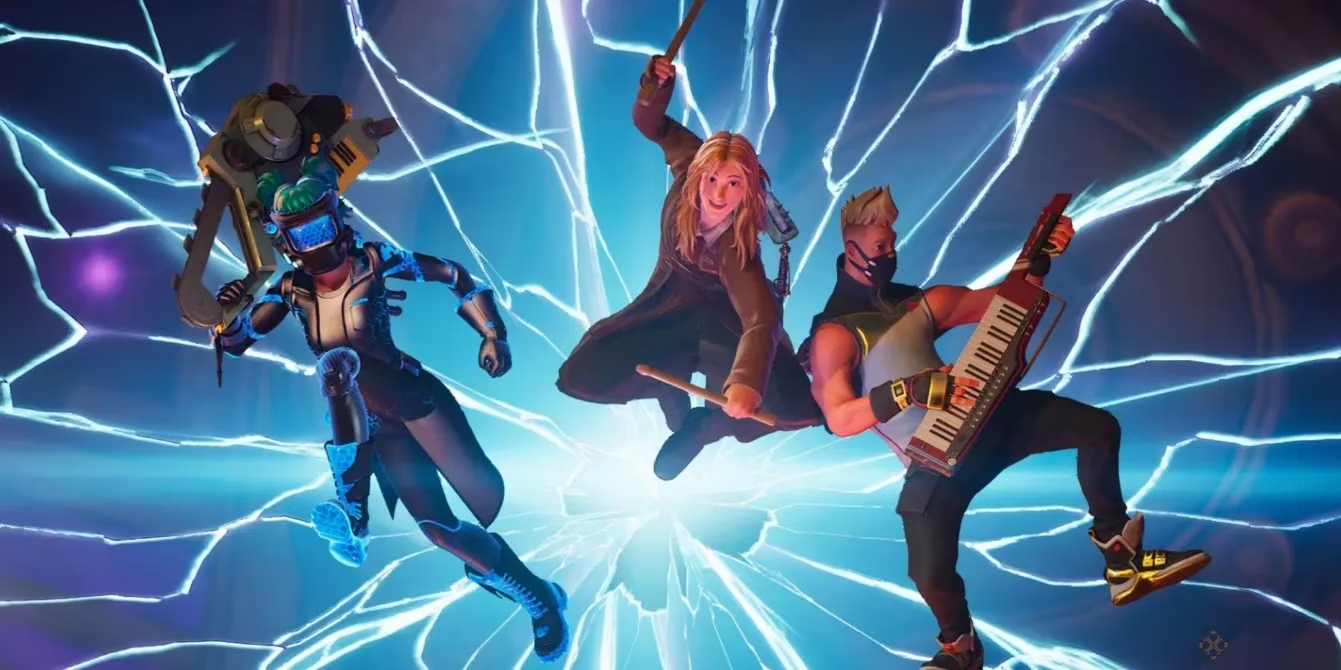
I’m not exaggerating when I say Fortnite Festival has revived my old Guitar Hero muscle memory. Honestly, it is the closest thing to a proper Guitar Hero successor, and in 2026 it is still the easiest way to play a guitar-focused rhythm game without hunting down a full Rock Band kit. The best part? If you still have an old USB guitar controller hanging around, you can use it in Fortnite Festival. On PC, it takes a little bit of effort and a third-party program, but the payoff is huge. Let me walk you through the whole thing.
Grab the Right Guitar First
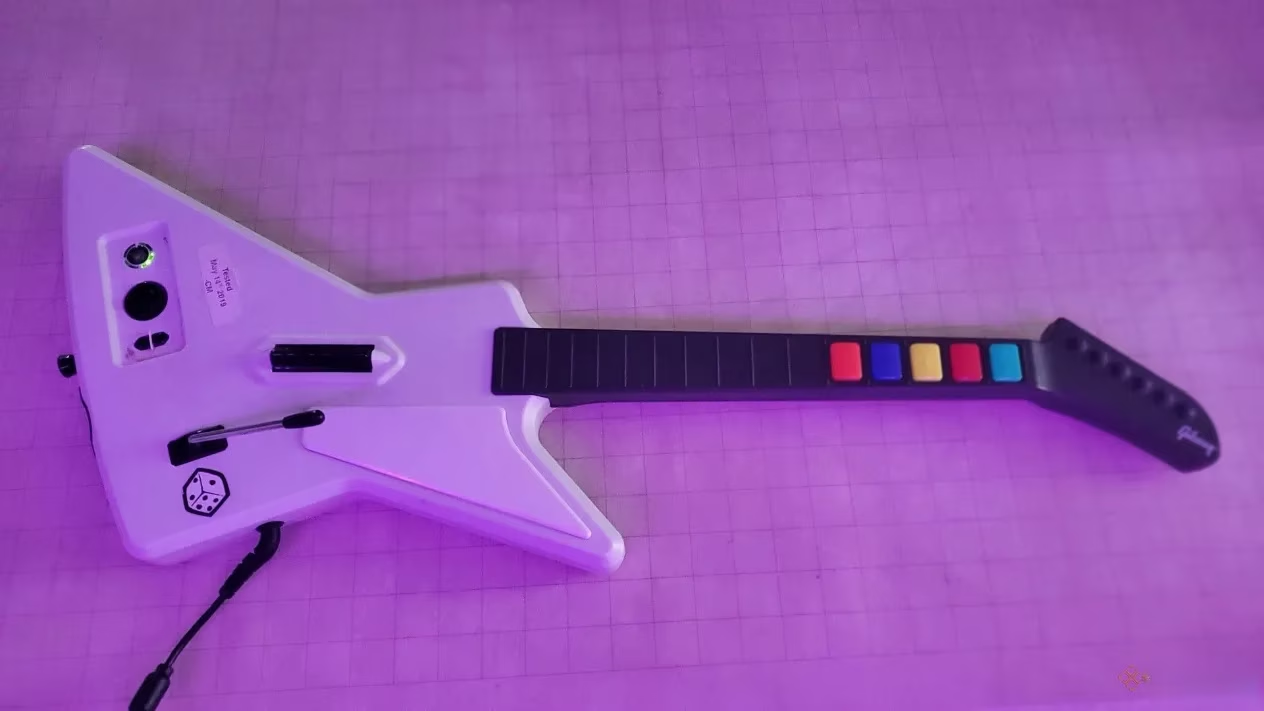
The first rule is simple: if your computer can see the guitar, you are halfway there. USB guitar controllers are the easiest option because plugging them straight into your PC should make them show up as a controller. A classic Xbox 360 Xplorer, for example, is a fantastic pick. If you have a wireless guitar with a USB dongle, that can also work, but wired USB is the most reliable route.
How to Map Your Guitar Buttons on PC
Here is the thing: Fortnite Festival will recognize your guitar as a controller, but it does not play nice right away. The buttons need a little translation. First, open Fortnite Festival and go to the settings page. Head to the Keyboard Controls tab, then look at the Main Stage controls. By default, the five lanes should be mapped to D, F, J, K, L in order, but you can change them to whatever feels right.
Here is a quick cheat sheet:
| Festival Lane | Default Keyboard Key |
|---|---|
| Lane 1 | D |
| Lane 2 | F |
| Lane 3 | J |
| Lane 4 | K |
| Lane 5 | L |
Now for the magic tool: download JoyToKey on your PC. This program turns your controller button presses into keyboard keys. When JoyToKey is open and your guitar is plugged in, press any button or move the strum bar. It will highlight in yellow, showing you which button the computer recognizes.
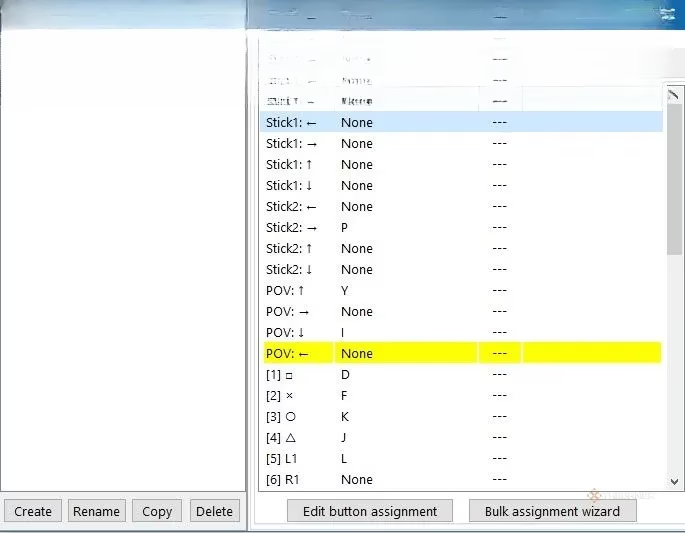
Next, double-click the highlighted button with your mouse, then press the keyboard key that matches the Fortnite Festival control you want. Do this for every button, including the strum bar if you plan to play the extra difficulty. It feels like a chore, but it is a one-time setup. Once you are done, open a text editor, hit some buttons on the guitar, and you should see the letters you mapped appear. That is the moment when it all clicks.
Turn Off Controller Input
This step sounds backwards, but trust me on this. Because JoyToKey basically turns your guitar into a very cool keyboard, Fortnite may still also read it as a controller. That can make menus a nightmare. To avoid double inputs, go to the Mouse and Keyboard tab in Fortnite settings and turn on Disable Controller Input.
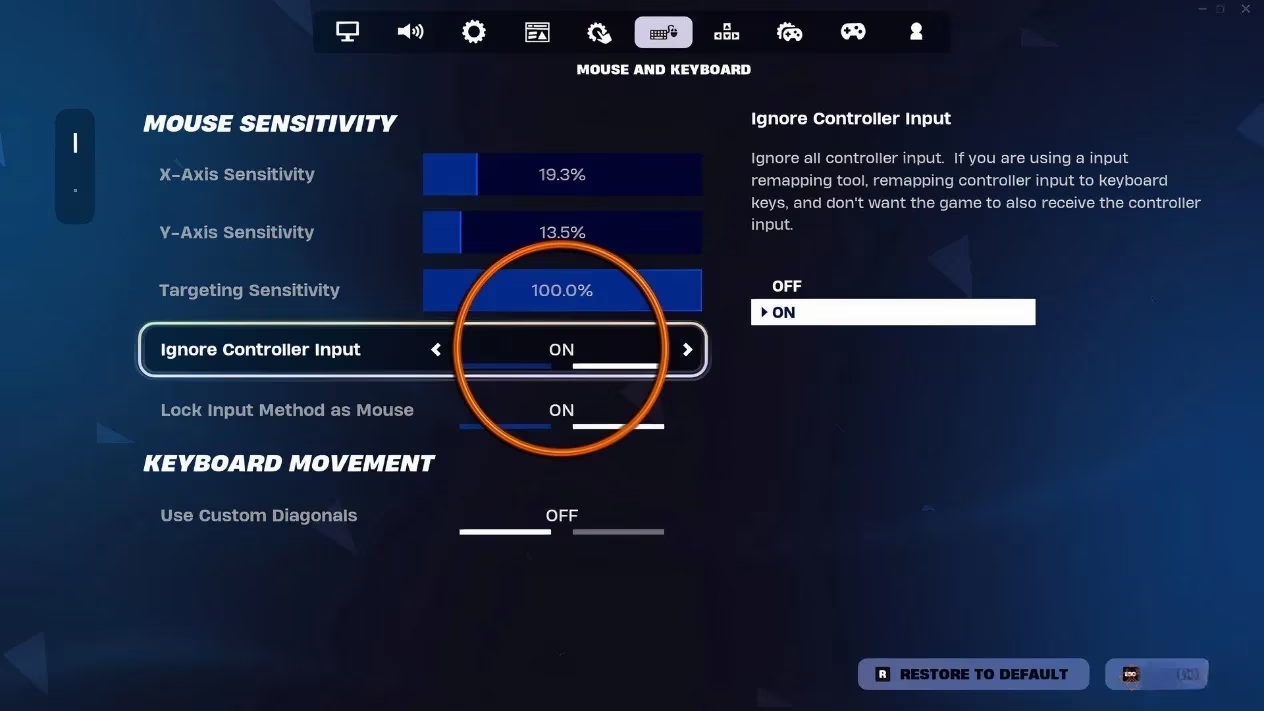
After that, you can use your keyboard and mouse to move around menus and pick songs. The moment the song starts, you just grab the guitar and start jamming. Honestly, it feels like magic every single time.
Console Setup Is Way Simpler
On console, the process is much more streamlined. It mostly comes down to whether your console can recognize the guitar controller. PlayStation and Xbox guitar controllers usually connect via USB, but they tend to work only on their own console family. So use PlayStation guitars on PlayStation consoles, and Xbox guitars on Xbox consoles. That covers everything from older PS3 and Xbox 360 gear up to the newer systems.
Wii controllers are a different story. They will only work on PC or the Wii, so do not bother plugging a Guitar Hero Wii controller into a PlayStation or Xbox. As for Rock Band controllers, they are still the best option for many players thanks to a big update back in April 2024, and as of 2026 they remain a safe recommendation.
Quick Recap
-
🎸 Use a USB guitar controller that your PC can detect.
-
🖥️ On PC, map guitar buttons to Fortnite Festival keys with JoyToKey.
-
⛔ Turn on Disable Controller Input so menus do not fight you.
-
🎮 On console, use the correct controller family for that console.
-
🥁 Rock Band controllers and Wii controllers have quirks, so double-check compatibility.
Let’s face it, setting up a guitar controller on PC is a bit of a pain the first time, but after that initial setup you can just plug in and play. Fortnite Festival really does scratch that rhythm game itch.